 English

Blog
How to choose the right LCD Display Module for your engineering project?
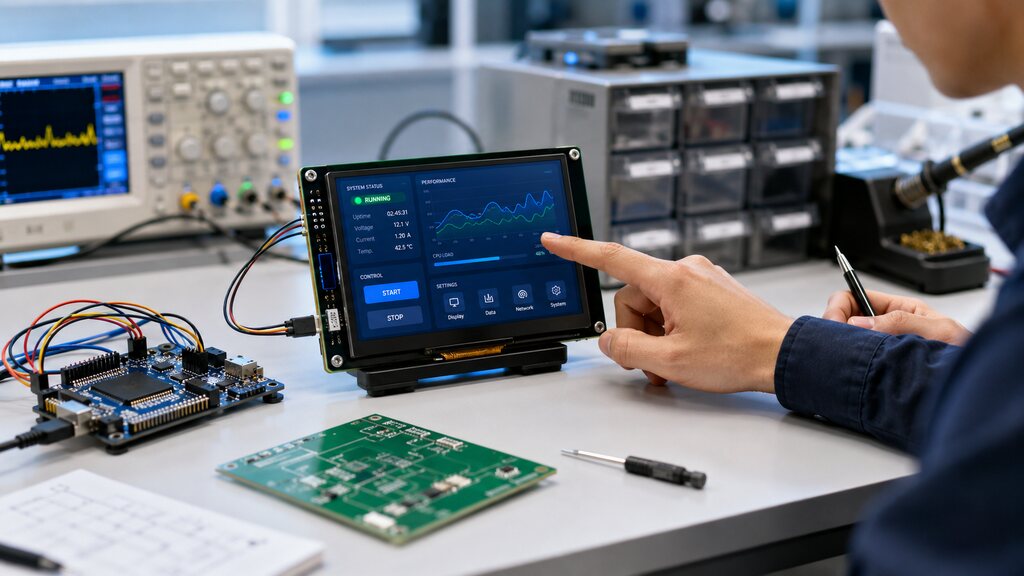 Choosing the right LCD display module is not just a matter of screen size or price.
For engineering teams, the display is often the main point of interaction between the user and the product. It affects usability, reliability, power consumption, enclosure design, firmware architecture and even long-term maintenance.
A display that looks suitable during early prototyping may create problems later if it does not match the electrical interface, mechanical constraints, operating environment or software requirements of the final product.
That is why LCD module selection should be treated as an engineering decision, not only as a component purchase.
In this guide, we will explain the main technical parameters engineers should evaluate, the most common integration risks and how to choose an LCD display module based on real application needs.
Choosing the right LCD display module is not just a matter of screen size or price.
For engineering teams, the display is often the main point of interaction between the user and the product. It affects usability, reliability, power consumption, enclosure design, firmware architecture and even long-term maintenance.
A display that looks suitable during early prototyping may create problems later if it does not match the electrical interface, mechanical constraints, operating environment or software requirements of the final product.
That is why LCD module selection should be treated as an engineering decision, not only as a component purchase.
In this guide, we will explain the main technical parameters engineers should evaluate, the most common integration risks and how to choose an LCD display module based on real application needs.
Why LCD Module selection is a critical engineering decision?
In many embedded products, the LCD module becomes part of the complete user interface system. It may include the LCD panel, backlight, touch panel, controller board, firmware, communication interface and mechanical structure. If the wrong module is selected, the impact can appear in different areas of the project. A display with insufficient brightness may be unreadable in outdoor environments. A module with the wrong interface may require additional firmware work. A panel with poor viewing angles may reduce usability in industrial machines. A display that consumes too much power may shorten the battery life of a portable device. These issues are not only technical. They can delay production, increase development cost and affect the final user experience. For this reason, engineers should evaluate LCD modules according to the complete product context: where the device will be used, who will use it, how it will be installed and what performance level is required.Which Technical Parameters Must Engineers Evaluate?
The main technical parameters engineers must evaluate are:- Display size and aspect ratio
- Resolution and pixel density
- Interface type
- Brightness and backlight design
- Viewing angle & panel technology
- Touch integration (if required)
- Power consumption
Integration considerations (where most projects fail)
Many LCD module problems do not happen during component selection. They happen during integration. A module may have the right size, resolution and interface, but still create problems if mechanical, electrical, thermal or firmware details are not properly reviewed.Mechanical integration
Mechanical integration includes the external dimensions of the module, mounting holes, bezel design, thickness, cable position and connection type. Engineers should confirm that the module fits the enclosure and that there is enough space for connectors, cables and assembly tolerances. It is also important to consider how the display will be protected. Industrial, medical and outdoor products may require stronger front panels, sealing, cover glass or special mounting structures. A display should not be selected only by active screen size. The full module dimensions matter.Electrical integration
Electrical integration includes voltage requirements, signal levels, connector type, pinout, grounding and electromagnetic compatibility. The display module must be compatible with the main board and power architecture. A mismatch in voltage or interface signaling can cause unstable operation or require additional circuit design. Engineers should also check startup behavior, reset requirements and communication timing. A reliable display system depends on both the module and the way it is connected to the rest of the product.Thermal management
Displays generate heat, especially larger modules, high-brightness backlights and products running for long periods. Thermal management is important because excessive heat can reduce backlight lifetime, affect display performance and impact surrounding components. For industrial or outdoor equipment, engineers should evaluate the operating temperature range and the expected thermal conditions inside the enclosure. A display module should be tested under realistic environmental conditions before final production.Firmware & driver compatibility
Firmware and driver compatibility can significantly affect development time. Some LCD modules require engineers to build low-level display drivers, manage graphics rendering and optimize communication performance. Other intelligent display modules include built-in controllers and GUI tools that simplify development. For projects with limited development time, choosing a module with strong software support, documentation and ready-to-use tools can reduce engineering risk. This is especially important for teams that need to move from prototype to production quickly. The infographic bellow compares four application types across key decision criteria: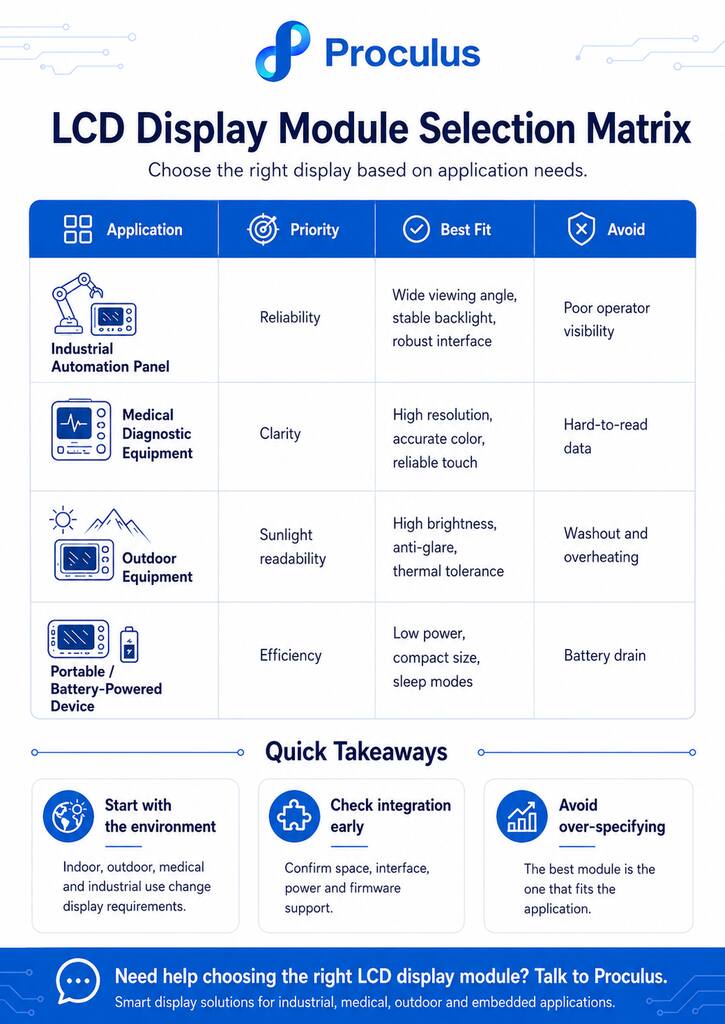
Common mistakes engineers make when selecting LCD Modules
One common mistake is choosing the display based only on size and price. While these factors matter, they do not define whether the module will work well in the final system. Another mistake is ignoring the real operating environment. A display that works well on a lab bench may not perform properly in a factory, outdoor installation or medical environment. Engineers may also underestimate firmware complexity. A module that requires extensive driver development can slow down the project if the team does not have enough time or resources. Touch integration is another frequent issue. If the touch panel is not tested with the final enclosure, cover glass or user conditions, the interface may behave differently in production. Finally, many teams fail to validate long-term availability and support. For commercial products, it is important to work with a supplier that can provide documentation, technical assistance and stable module options for future production needs.How to choose an LCD Display Module based on application needs
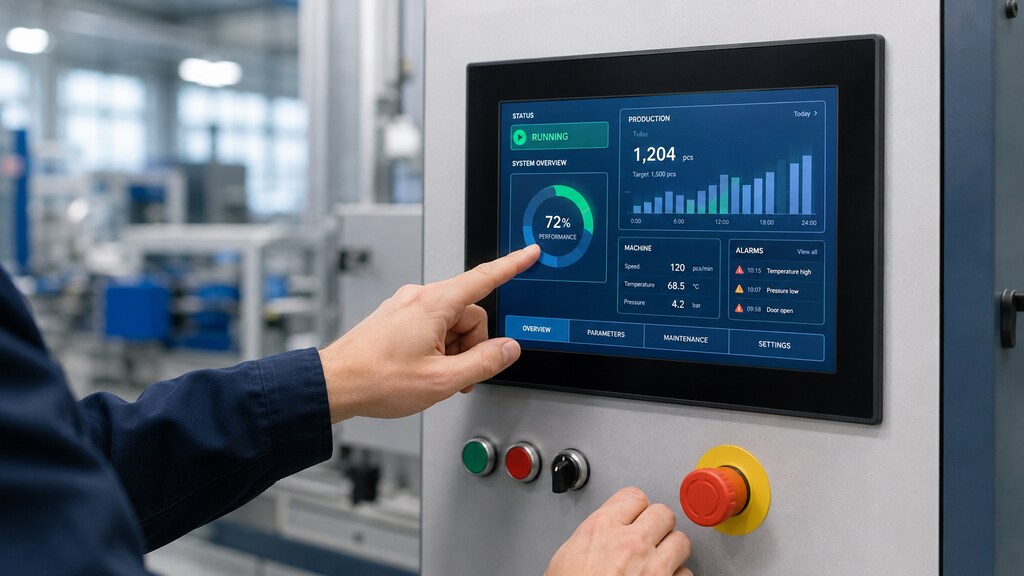 Different applications require different priorities. The right LCD display module should match the technical, environmental and usability requirements of the final product.
Industrial automation panel
For industrial automation, reliability and readability are usually the top priorities. The display may be used in factories, control rooms, production lines or machine panels. Operators need to read data quickly and interact with the interface without confusion. Engineers should look for modules with strong viewing angles, stable backlight performance and robust communication options. Touch integration should be tested with the expected working conditions, including gloves if necessary. A UART or intelligent display module can be a strong option when the goal is to simplify HMI development and reduce the workload on the main controller.Medical diagnostic equipment
Medical devices require clarity, stability and professional user experience. The display may show measurements, alerts, patient data, test results or system status. In this context, readability and interface consistency are essential. Engineers should prioritize resolution, brightness uniformity, viewing angle and reliable touch response. The screen layout should support accurate interpretation of information, especially when the user needs to make decisions quickly. For medical diagnostic equipment, display selection should also consider long operating hours and a clean, intuitive interface design.Outdoor equipment
Outdoor equipment requires special attention to brightness, temperature and physical durability. A standard indoor display may become difficult to read under sunlight. For outdoor use, engineers should evaluate high-brightness modules, anti-glare cover options, thermal behavior and backlight performance. Outdoor devices may also be exposed to vibration, humidity, dust or temperature variation. The display module must be selected with the complete enclosure and protection strategy in mind. In these projects, testing under real light and temperature conditions is highly recommended.Portable or battery-powered device
For portable and battery-powered devices, power consumption is one of the most important factors. The display should be compact, efficient and easy to control through firmware. Backlight dimming, sleep modes and fast wake-up behavior can help improve battery life. Engineers should also evaluate weight, thickness and connector position, since these details can affect the final mechanical design. A smaller display with clear information architecture may be better than a larger display that consumes too much power or makes the device harder to carry.When should you consider a custom LCD Module?
A standard LCD display module is often enough for prototyping or general applications. However, a custom LCD module may be the better choice when the product has specific mechanical, electrical or interface requirements. You should consider a custom solution when the display needs to fit a unique enclosure, use a specific connector, support a special touch panel, meet environmental requirements or follow a product-specific interface design. Custom LCD modules can also help when the project requires consistent branding, optimized performance or long-term production stability. For engineering teams building commercial products, customization can reduce compromises and improve the final user experience. The key is to involve the display supplier early, before the mechanical and electronic design is fully locked.Count on Proculus for reliable LCD Display Module solutions!
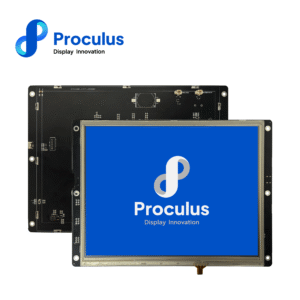
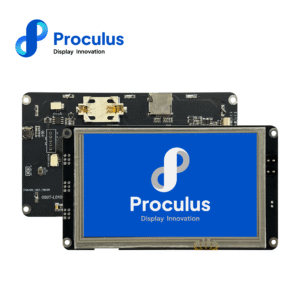
Choosing the right LCD display module is easier when your team has access to reliable hardware, practical development tools and technical support during integration. Proculus offers UART TFT LCD modules designed to simplify HMI development for embedded systems. With serial communication, flexible display options and support for custom interface design, these modules help engineering teams reduce development complexity and move faster from prototype to production. Whether you are building an industrial control panel, medical equipment, smart device or embedded interface, Proculus can help you find a display solution that fits your technical requirements. Explore Proculus UART TFT LCD modules and choose the right display for your project!FAQ
Below, we answer some common questions about LCD display modules in a short, direct and objective way.What is an LCD display module?
An LCD display module is a display component that includes an LCD panel and other elements needed to show visual information, such as a backlight, controller, interface circuit and sometimes a touch panel. It is used in embedded systems, industrial equipment, medical devices, consumer electronics and many other products that require a visual interface.What is a 16 * 2 LCD display module?
A 16 * 2 LCD display module is a simple character display that shows 16 characters per line and has 2 lines. It is commonly used in basic embedded projects, control panels, meters and devices that only need to show simple text, numbers or status messages.What is an I2C LCD module?
An I2C LCD module is an LCD display module that communicates through the I2C interface. It is popular in microcontroller projects because it reduces the number of pins required to connect the display. Instead of using many parallel data lines, the system can communicate with the LCD using only a few wires.What is an LCD module on a keyboard?
An LCD module on a keyboard is a small display integrated into the keyboard to show information such as profiles, macros, system status, battery level, volume, notifications or custom data. In this case, the LCD module works as a secondary interface that gives the user quick visual feedback without needing to open software on the main screen.

PHP Code Snippets Powered By : XYZScripts.com