 English

Blog
AMOLED display: what is it, benefits, applications, and how to choose
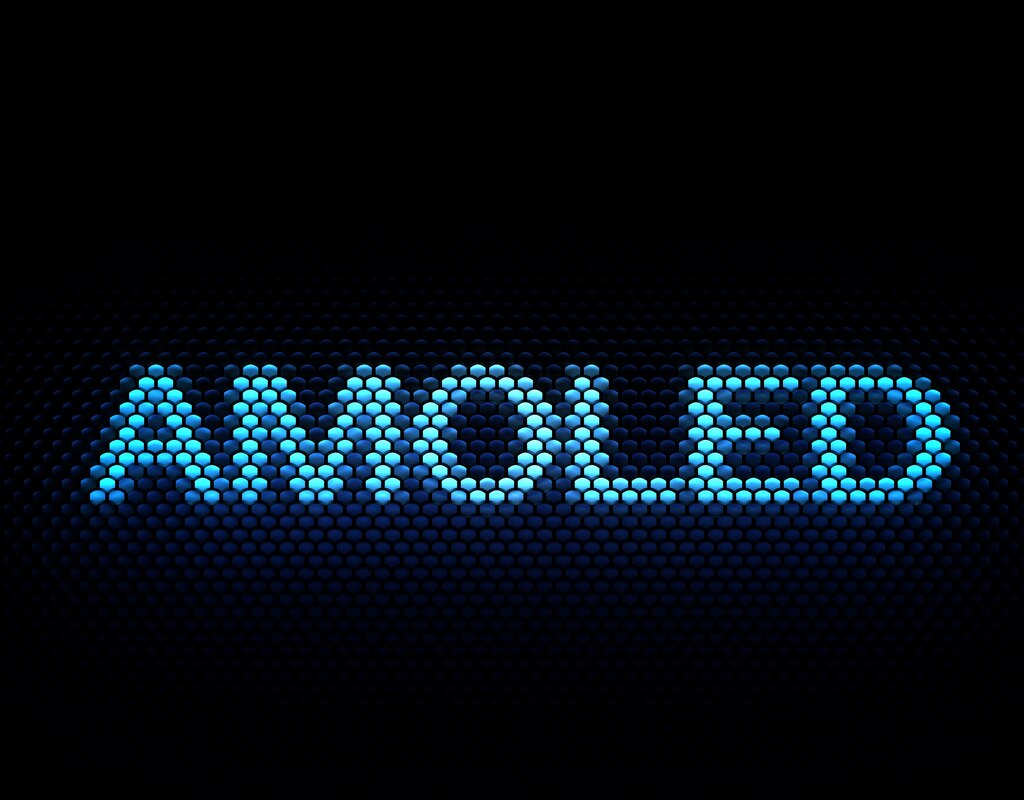 Walk into any control room, industrial setting, medical station, or modern vehicle cockpit and you’ll notice something subtle: screens feel sharper, more alive. That impression is rarely accidental. In many cases, AMOLED technology sits behind it.
For engineers and product teams, the use of AMOLED affects power consumption, durability, readability, and even user behavior. So before selecting a display for your next project, it’s important to understand what makes AMOLED different and where it truly shines.
Walk into any control room, industrial setting, medical station, or modern vehicle cockpit and you’ll notice something subtle: screens feel sharper, more alive. That impression is rarely accidental. In many cases, AMOLED technology sits behind it.
For engineers and product teams, the use of AMOLED affects power consumption, durability, readability, and even user behavior. So before selecting a display for your next project, it’s important to understand what makes AMOLED different and where it truly shines.
What is an AMOLED display?
AMOLED stands for Active Matrix Organic Light-Emitting Diode. This means each pixel emits its own light. There’s no need for a backlight. That changes everything. Instead of illuminating the entire panel, AMOLED activates individual pixels. Black pixels simply stay off. The result feels immediate: deeper contrast, richer colors, and better control over energy use. The “active matrix” part refers to the thin-film transistor (TFT) layer. It controls each pixel precisely, which matters in dynamic interfaces like dashboards or wearable devices.AMOLED vs OLED
At a glance, AMOLED is a type of OLED. The distinction lies in control.
Traditional OLED panels can use passive or active matrices. AMOLED uses an active matrix, which updates pixels faster and with more precision. That translates into smoother animations and better performance in complex interfaces. In practice, AMOLED dominates in devices that demand responsiveness, such as smartphones, industrial panels, automotive displays.
AMOLED vs PMOLED
PMOLED (Passive Matrix OLED) works differently. It controls pixels line by line rather than individually. This approach suits smaller displays. Think simple indicators or compact devices. However, once the screen grows or content becomes dynamic, PMOLED struggles. Response time drops. Power consumption increases. AMOLED handles both scenarios more efficiently, especially in larger or interactive displays.AMOLED vs QLED
QLED relies on a backlight and quantum dots to enhance color. Brightness levels tend to be higher, which helps in very bright environments. AMOLED, on the other hand, excels in contrast. Blacks appear truly black because pixels turn off completely. So, ultimately, the choice depends on context. Outdoor signage may benefit from QLED brightness. A medical interface or automotive dashboard often benefits more from AMOLED contrast and clarity.AMOLED vs IPS
IPS (In-Plane Switching) LCD panels remain popular. They offer consistent colors and wide viewing angles. Yet, they rely on a constant backlight. Even black areas still emit some light. AMOLED avoids this limitation. Contrast feels more natural. Power usage adapts to the content on screen. For interfaces with dark themes or variable data, the difference becomes noticeable over time.
How does AMOLED technology work?
Each pixel in an AMOLED display contains organic compounds. When electricity passes through them, they emit light. Simple idea. But complex execution. A TFT (Thin-Film Transistor) layer sits beneath the organic material. It controls the current flowing to each pixel. This layer updates quickly, which supports video, animations, and real-time data visualization. Then comes the emission layer. While standard displays use equal stripes of Red, Green, and Blue, many modern AMOLEDs utilize a PenTile matrix (they might use a pattern with more green subpixels than red or blue because the human eye is more sensitive to green light). Since each subpixel operates independently, brightness and color can be adjusted with precision. This architecture removes the need for a backlight. It also reduces thickness, which explains why AMOLED displays often appear slimmer and more flexible.What are the advantages and disadvantages of AMOLED displays?
Start with the strengths. Contrast stands out immediately. True blacks improve readability, especially in low-light environments. This makes a huge difference in control panels or night driving interfaces. Power efficiency varies with content. Dark interfaces consume less energy. Over time, this influences battery life in mobile or remote systems. Viewing angles remain stable. And colors don’t shift dramatically when viewed from the side. That helps in collaborative environments or shared dashboards. Design flexibility opens new possibilities. Curved screens and even foldable displays come into play. Now, the trade-offs. Burn-in remains a concern. Static elements (like icons or status bars) can leave faint marks over time. This risk decreases with proper UI design, yet it still exists. Brightness levels may fall behind some LCD or QLED panels under direct sunlight. Outdoor readability requires careful calibration. And manufacturing costs tend to be higher. That impacts large-scale deployments or cost-sensitive projects.Examples of industrial applications with AMOLED
AMOLED has moved well beyond consumer electronics. It now appears across multiple industries, each with its own demands.- Human-machine interfaces (HMI): clear contrast improves readability in control systems. Operators can interpret data faster, especially in low-light environments;
- Rugged mobile devices: field workers benefit from lighter screens and adaptive power usage. In remote areas, every bit of battery life counts;
- Digital signage and retail displays: colors appear vivid. Content stands out. This influences customer attention in competitive retail spaces;
- Medical displays: precision matters. High contrast helps in imaging and diagnostics. Subtle details become easier to detect;
- Automotive displays: dashboards and infotainment systems rely on quick response and clarity. AMOLED handles both, even during night driving;
- Military applications: durability and visibility in varying light conditions play a key role. AMOLED supports both, with careful engineering.
How to choose the ideal AMOLED display for your project
First, the environment. Will the display operate outdoors? High brightness and anti-reflective coatings become essential. Indoors, contrast and color accuracy may take priority. Next, consider usage patterns. Static interfaces increase burn-in risk. Dynamic layouts distribute pixel usage more evenly. A small design decision here influences long-term performance. Resolution and size come next. Higher resolution improves clarity, yet it also increases cost and power demands. Balance these factors based on user interaction distance and purpose. Then look at integration constraints. Thickness, flexibility, and weight may matter in compact devices or wearable systems. Finally, evaluate lifecycle expectations. Industrial applications often require long operational hours. Choosing a panel with proven durability reduces maintenance costs down the line.FAQ
What does AMOLED mean?
It stands for Active Matrix Organic Light-Emitting Diode, a display where each pixel emits its own light.Is AMOLED better than LCD?
It depends on the use case. AMOLED offers better contrast and flexibility. LCD may deliver higher brightness in some conditions.Does AMOLED consume less power?
In dark interfaces, yes. Power usage increases with bright or white-heavy content.What is burn-in on AMOLED screens?
It refers to permanent marks caused by static images displayed for long periods.Where is AMOLED commonly used?
Smartphones, automotive displays, medical equipment, and industrial HMIs are common examples.Is AMOLED suitable for outdoor use?
Yes, with proper brightness tuning and anti-reflective design considerations.

PHP Code Snippets Powered By : XYZScripts.com