 English

Medical Display: Where to use, How to choose, and How to Integrate into Your Project
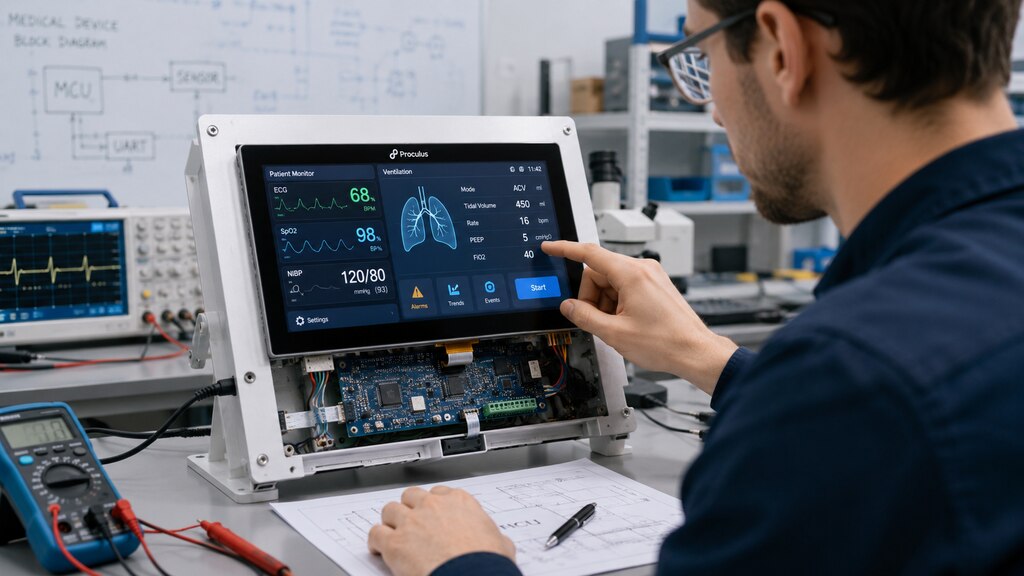 A medical display is more than a component used to present numbers or images. It is the point where professionals, technicians, patients, and caregivers receive information from a medical device and decide what to do next.
A poorly planned interface can make important information difficult to find, increase the number of steps required to complete a task, or create uncertainty when the user needs to respond quickly.
A well-designed display helps users understand the device status, interpret measurements, configure parameters, identify alarms, and confirm that an action was completed successfully.
Choosing the right display therefore requires more than comparing screen sizes and resolutions.
Engineering teams must consider the intended user, use environment, information hierarchy, communication interface, touch technology, expected product lifecycle, and validation requirements.
It is also important to define what “medical display” means within the project. An embedded display used to control an infusion pump has different requirements from standalone clinical displays used for image review.
Likewise, primary diagnostic monitors and large surgical displays may require specialized image performance and regulatory considerations beyond those of a control-panel display.
This guide focuses primarily on display modules integrated into medical devices, including monitoring, diagnostic, laboratory, and portable healthcare equipment.
A medical display is more than a component used to present numbers or images. It is the point where professionals, technicians, patients, and caregivers receive information from a medical device and decide what to do next.
A poorly planned interface can make important information difficult to find, increase the number of steps required to complete a task, or create uncertainty when the user needs to respond quickly.
A well-designed display helps users understand the device status, interpret measurements, configure parameters, identify alarms, and confirm that an action was completed successfully.
Choosing the right display therefore requires more than comparing screen sizes and resolutions.
Engineering teams must consider the intended user, use environment, information hierarchy, communication interface, touch technology, expected product lifecycle, and validation requirements.
It is also important to define what “medical display” means within the project. An embedded display used to control an infusion pump has different requirements from standalone clinical displays used for image review.
Likewise, primary diagnostic monitors and large surgical displays may require specialized image performance and regulatory considerations beyond those of a control-panel display.
This guide focuses primarily on display modules integrated into medical devices, including monitoring, diagnostic, laboratory, and portable healthcare equipment.
What is the importance of displays in medical devices?
The display is a central part of the medical device user interface. It connects the internal operation of the equipment with the person using it. Through the display, the user may need to:- Review patient measurements;
- Confirm operating modes;
- Change treatment or test parameters;
- Respond to alarms and warnings;
- Follow setup instructions;
- Check whether sensors and accessories are connected;
- Identify errors;
- Review results;
- Start, pause, or stop a process.
What are the key characteristics of a display for medical devices?
There is no single display specification that fits every medical application. The correct characteristics depend on the device function, risk analysis, user profile, and operating environment. However, several factors should be evaluated in most projects.Clear visual hierarchy
Critical measurements, alarm conditions, operating modes, and user actions should be easy to distinguish. Size, spacing, contrast, labels, icons, and screen organization must support fast interpretation without creating unnecessary visual complexity.Suitable resolution
The required resolution depends on the amount and type of information displayed. A basic control interface may only need buttons, values, and status indicators. Equipment that presents waveforms, trends, diagrams, or detailed images may require more pixels and a larger viewing area.Consistent brightness and contrast
The screen should remain readable in its intended environment. Engineers should evaluate ambient lighting, reflections, viewing distance, user position, enclosure design, and whether the equipment will be used in dark rooms, brightly illuminated laboratories, ambulances, or home environments.Appropriate viewing angles
Users may not always stand directly in front of the screen. A monitor positioned beside a bed, above a work surface, or on movable equipment may be viewed from different heights and angles. The selected panel should preserve sufficient readability within the expected operating positions.Responsive touch interaction
Touch performance must match the actual workflow. Button size, spacing, response time, gesture requirements, glove use, moisture, cleaning procedures, and accidental activation risks should all be considered.Reliable communication
The display must exchange information with the main controller consistently. The engineering team should determine how values, commands, alarms, screen changes, and user inputs will move between the display and the host system.Mechanical compatibility
Dimensions, mounting points, bezel design, cable position, connector access, enclosure thickness, ventilation, and sealing strategy can all affect integration. These requirements should be established before the housing design is finalized.Lifecycle suitability
Medical devices may remain in development, production, and service for many years. Display availability, component change management, firmware maintenance, documentation, and replacement planning can be as important as the initial specification.Support for validation
The project team should be able to document how the interface behaves, including normal operation, invalid inputs, communication failures, alarm states, startup conditions, and recovery procedures.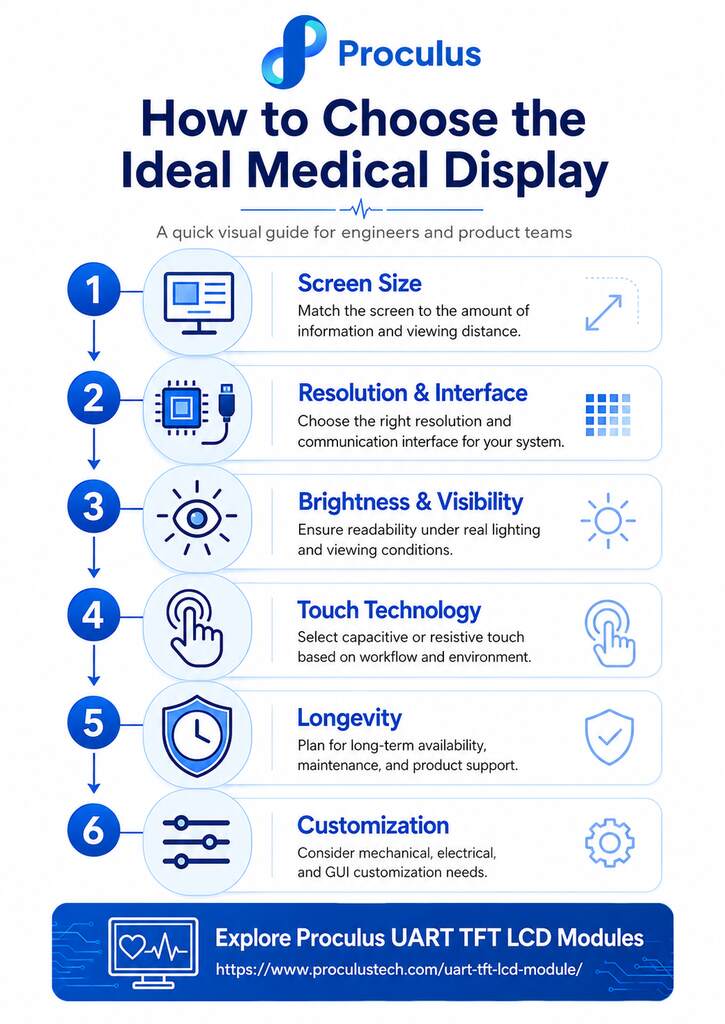
Build a clearer medical device interface with Proculus!
Your engineering team should be able to create a clear, responsive interface without allowing GUI development to consume the entire embedded project. Proculus UART TFT LCD modules integrate display hardware, touch capabilities, graphical control, and serial communication into a solution designed for embedded HMI development. Using UnicView Studio, teams can create buttons, data fields, animations, keyboards, and other interface elements through a visual development environment. The completed interface can then exchange commands and values with the host controller through UART. This architecture can be considered for medical equipment that needs an embedded control panel or information interface, provided that the selected module and complete system are evaluated against the project’s intended use and applicable requirements. Explore Proculus UART TFT LCD modules or contact the engineering team to discuss your screen size, touch technology, interface, customization, and production requirements!FAQ
What is a medical display?
A medical display is a screen used within or alongside medical equipment to present operational information, patient data, measurements, alarms, instructions, controls, or diagnostic images.Is every display used in a medical device a diagnostic display?
No. Many displays function as control interfaces for entering parameters, reviewing measurements, or monitoring equipment status.Can a UART TFT LCD module be used in a medical device?
A UART TFT LCD module can be considered for embedded medical device interfaces, such as control panels and measurement displays. Suitability must be evaluated at the complete system level. The medical device manufacturer is responsible for determining whether the component meets the electrical, mechanical, environmental, usability, quality, and regulatory requirements of the intended application.What is the difference between resistive and capacitive touchscreens?
A resistive touchscreen detects pressure and can generally be operated with a finger, stylus, or different glove materials. A capacitive touchscreen detects conductive input and commonly provides a responsive interface with support for modern touch interactions. The correct choice depends on glove use, required precision, cleaning conditions, interface design, and operating environment.How do I choose the correct screen size for medical equipment?
Define the information displayed, viewing distance, number of simultaneous controls, required touch-target dimensions, enclosure space, and expected users. The smallest screen that physically fits the product is not necessarily the best option if it forces critical information into a crowded layout.Why is long-term display availability important?
Changing a display can affect the enclosure, electronics, firmware, GUI, documentation, testing, and production process. A stable supply strategy helps reduce redesign risk throughout the device’s commercial and service life.Can Proculus customize a display for a medical device project?
Proculus supports customization according to project requirements, including aspects of hardware interfaces and graphical implementation. The feasibility, development scope, minimum order quantity, cost, and schedule depend on the requested specifications and should be confirmed directly with the engineering team.

PHP Code Snippets Powered By : XYZScripts.com